
Master minecraft mcpe mod
Ali AbbasAdventure
3.596.00 Reviews
- Version
- 3.0.8
- Installs
- 10.00M
- Age Rating
- Teen
Screenshots
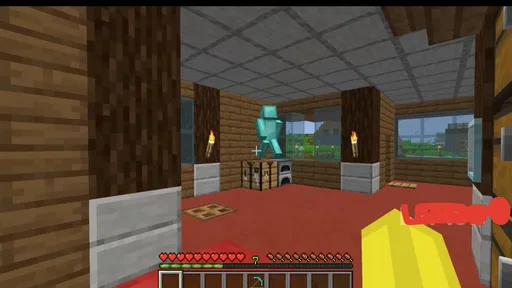
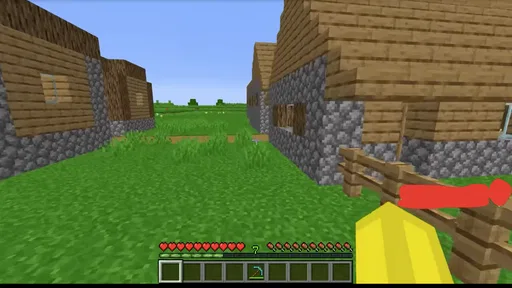
Our Review of Master minecraft mcpe mod
 Analysis by Appyee
I approached Master minecraft mcpe mod as a companion for Minecraft PE players who want to browse extra mods and maps rather than build every part of their experience from scratch. It is a free adventure game from Ali Abbas, aimed at Teen users, and its purpose is easy to understand: help players find additional Minecraft-related content in one place. That focus makes it more useful as a discovery tool than as a replacement for Minecraft itself.
My overall impression is mixed but fairly positive. The app can save time when I already know the kind of map or modification I want to try, and it gives casual players a simpler starting point than searching randomly across the web. At the same time, the experience depends heavily on the quality and compatibility of whatever content I choose. It is not the right choice for someone expecting a complete standalone sandbox game, instant access to every add-on, or the same polish as the official Minecraft experience.
How the app feels during real use
The first thing I noticed is that the app’s value is tied to how quickly I can move from browsing to deciding. A good companion app should reduce the work involved in finding something suitable, and this one is clearly built around that idea. I can open it when I want inspiration, look through Minecraft PE-related options, and choose whether a particular map or mod fits the kind of session I have in mind.
Perceived speed is not only about loading quickly. It also depends on whether browsing feels direct and whether I can recover easily after changing my mind. For a short play session, such as looking for a new challenge during a commute or before an evening game, a simple path matters more than a large collection of complicated menus. I found the concept most appealing when I treated the app as a quick catalogue rather than as a game I would play continuously for hours.
There is an important distinction here: the app does not turn Minecraft PE into a faster game. It is a separate tool connected to the Minecraft PE mod-and-map experience. Any improvement in convenience comes from finding content more efficiently, while the actual performance of a selected map or modification still depends on Minecraft PE and the device running it.
The developer, Ali Abbas, presents the product as an adventure-focused game, although my practical view is that it works more like a content companion for an existing game. That difference matters when deciding whether to install it. If I want exploration, variety, and new ideas for Minecraft sessions, the category makes sense. If I want a self-contained adventure with its own story and progression, I would look elsewhere.
What happens when I use it for short sessions
In everyday use, the app makes the most sense in small bursts. I might open it after finishing a familiar Minecraft world and use it to search for a different style of map. Another realistic situation is preparing a shared session with friends: instead of repeatedly discussing what to play, I can browse for something that offers a different setting or objective and then decide whether it is worth trying.
This workflow also reveals one of its practical strengths. I do not need to commit to a new Minecraft world immediately. Browsing first lets me compare ideas and avoid spending time setting up content that does not match my mood. That is a small advantage, but it is more useful than the short store summary suggests.
My advice is to decide what you want before opening the app. “A map for two players,” “a tougher survival challenge,” or “a change from the usual world” is a better starting point than scrolling without a goal. A focused search makes the app feel lighter and reduces the chance of installing something simply because it looks interesting at first glance.
Where heavier use can become frustrating
The most demanding moments are not necessarily caused by the app sitting open. The heavier part of the workflow comes when I move from browsing into using larger or more ambitious Minecraft content. A detailed map or modification can require more from the underlying game, and the app itself cannot guarantee that every choice will behave equally well on every phone or tablet.
This is where expectations should stay realistic. The presence of a mod or map in a catalogue does not automatically mean it will be a perfect fit for my device, my Minecraft version, or the way I play. I would treat each item as something to evaluate rather than as a guaranteed one-tap upgrade.
A useful habit is to test unfamiliar content separately before adding it to an important world. I would avoid experimenting first on a long-running survival save, especially when I care about preserving progress. Trying one item at a time makes it much easier to identify which choice caused trouble and gives me a cleaner recovery path if the result is disappointing.
This single-item approach is one of the more important practical tips for using the app responsibly. Installing several changes at once may seem faster, but it makes troubleshooting much harder. If the experience becomes unstable, I may not know which map or modification created the problem. A slower, staged workflow is usually the better trade-off.
Stability depends on more than the catalogue
I would not judge reliability only by whether the companion opens. The real question is whether the full journey works smoothly: finding something suitable, moving it into the Minecraft PE workflow, launching it, and returning to a normal session afterward. Each stage can introduce friction, particularly when the selected content is more demanding or does not match the environment where I want to use it.
For that reason, I recommend keeping expectations modest when trying unfamiliar material. I would first confirm that Minecraft PE is working normally, then introduce one new item and check the result. If something goes wrong, I would close the affected session, reopen the normal game, and return to a known working world rather than repeatedly forcing the same content to load.
That recovery habit is more valuable than it sounds. A user who treats every download as permanent can quickly end up with a confusing setup. A user who keeps experiments separate can usually identify problems sooner and return to ordinary play with less disruption. The app is more enjoyable when used as a controlled way to explore options, not as a reason to change everything at once.
I also prefer to keep a record of which content I tried, especially if I am testing several ideas over time. Even a simple note with the name of a map or mod can help me remember what worked and what I would rather avoid. This is not a built-in feature I am claiming for the app; it is a practical method that makes the overall experience easier to manage.
Older phones and the question of resources
The minimum operating-system requirement is Android 7.0, so the app remains relevant to a broad range of Android devices. That does not mean every supported phone will offer the same experience. Operating-system compatibility only tells me that the software can be installed within that baseline; it does not guarantee identical browsing comfort or identical Minecraft performance afterward.
On a modest device, I would be more careful with large content, limited free storage, and long sessions. The companion may be usable while the selected Minecraft experience becomes the real strain. This distinction is important because a player might blame the catalogue app for a slowdown that actually comes from Minecraft PE, the chosen map, or the device’s available resources.
If I were using an older phone, I would keep the workflow simple. I would avoid collecting many items before testing them, leave room for the main game, and close other demanding apps before starting Minecraft. I would also use a smaller or less complicated map first, not because every larger option will fail, but because it gives me a safer baseline for judging what the device can handle.
On a newer phone or tablet, the benefit is less about the companion suddenly becoming a different product and more about having a smoother overall setup. Browsing may feel more comfortable, and Minecraft PE may have more room to handle ambitious content. Even then, I would not assume that newer hardware removes every compatibility issue. Content quality and fit still matter.
Storage is another everyday consideration. A player who frequently tries new maps and modifications can accumulate material quickly, even if each individual item seems manageable. I would periodically remove experiments I no longer use and keep only the content that has earned a place in my regular rotation. That keeps the setup easier to understand and makes it simpler to find the options I actually enjoy.
How it compares with familiar alternatives
The usual alternative is searching manually through websites, videos, community posts, or recommendations from other players. That approach can provide more context and discussion, but it also takes more time and may involve jumping between several sources. Master minecraft mcpe mod is more convenient when I want a focused starting point instead of researching every possibility from scratch.
Manual searching can still be better for experienced players who care about detailed compatibility notes, community feedback, or very specific technical requirements. Those users may prefer to investigate each item independently before trying it. The app is more appealing to casual players, returning Minecraft users, and anyone who wants a quicker route to new ideas without spending a long time browsing unrelated pages.
It also differs from official Minecraft content. The official game is the place I would go for the core sandbox experience, established account features, and the most predictable relationship between the game and its content. This app is better understood as an extra layer for discovering mods and maps. I would not install it expecting it to replace the main game or provide the same level of consistency.
There is a trade-off between convenience and certainty. A central catalogue can make discovery easier, but manual research may give me more information before I commit. My preferred approach is to use the app for ideas, then apply a cautious test before bringing anything into a valuable world. That combines the convenience of the app with the care of a more deliberate setup.
Who will get the most from it
I think the app suits players who already enjoy Minecraft PE but feel stuck in a routine. If I have spent too long in similar worlds, browsing for a new map or modification can provide a useful nudge. It is also a reasonable choice for younger Teen players who want to explore Minecraft-related content with a straightforward starting point, provided they understand that not every option will suit every device or session.
It can also help families or groups that need quick ideas. Instead of asking one person to invent a new challenge, the group can browse for a different direction and decide together. The best use is collaborative selection: one person finds an appealing idea, everyone agrees on whether it fits the session, and the content is tested before anyone invests serious progress.
I would skip it if I am looking for a complete adventure game unrelated to Minecraft. I would also skip it if I dislike experimenting, need guaranteed compatibility, or prefer to inspect extensive technical details before trying anything. In those cases, the official Minecraft route or careful manual research is likely to be a better match.
Privacy and safety also deserve ordinary common sense. The age rating is Teen, so I would treat the app as something that should be used with awareness rather than handed over without guidance. I would be cautious about unexpected requests, avoid entering unnecessary personal information, and make sure younger users understand that third-party content can behave differently from the core game.
What the current release means for prospective users
The app was released on August 26, 2021, and the current version is 3.0.6. Those details tell me that it is not a brand-new experiment, but they do not by themselves guarantee that every current Minecraft setup will behave identically. Compatibility should still be judged in the context of the device, operating system, Minecraft PE environment, and the particular content I choose.
Its reach is substantial, with over ten million installs, while the average rating sits at 3.4 from around twenty-four thousand ratings. I read that combination as a reason to try it with realistic expectations rather than as proof that it will suit everyone. Many people have found enough value to install it, but the middling average also suggests that convenience and reliability may not feel equally strong for every user.
The listing includes ninety-three reviews, and I would pay more attention to recurring practical comments than to a single enthusiastic or negative reaction. When judging a companion like this, the most useful questions are whether the browsing process feels manageable, whether chosen content works in the intended Minecraft setup, and whether recovery is easy when an experiment does not go well.
Because it is free, the barrier to testing it is low. That makes a cautious trial sensible: install it, browse with a specific goal, test one suitable item, and decide whether it improves the way you play. Free does not mean frictionless, so I would still avoid treating every result as automatically worth keeping.
My performance verdict after weighing the trade-offs
My verdict is that Master minecraft mcpe mod is most useful as a discovery companion, not as a performance tool or a standalone adventure. Its perceived speed is best when I use it for focused browsing, while heavier moments arrive after I introduce more demanding content into Minecraft PE. Stability depends on the complete setup, and recovery is easiest when I test changes one at a time and protect important worlds.
The smartest way to use it is as a low-risk idea generator, not as an automatic guarantee of perfect Minecraft sessions. That mindset makes its strengths clearer and its limitations less surprising. I can find fresh directions, save time compared with completely manual searching, and decide which experiments deserve a place in my regular play.
I would recommend trying it to a Minecraft PE player who wants more variety and is comfortable with a little testing. I would not recommend relying on it blindly for important saves, older devices with limited room, or situations where compatibility must be certain from the beginning. Used patiently, it can make Minecraft feel less repetitive; used carelessly, it can add unnecessary setup work.
For me, that leaves it as a worthwhile but selective install. The free price makes experimentation easy, the large install base shows that it has broad appeal, and the adventure positioning fits players who enjoy discovering new ways to play. Just keep the main game separate in your expectations, introduce content gradually, and let your own device and play style decide how far the app belongs in your routine.
Verdict
Strengths of Master minecraft mcpe mod
- Adds new gameplay options, items, mobs, and maps to standard Minecraft PE.
- Can make survival worlds feel fresh for players who already know the vanilla game.
- Offers quick access to themed content without searching across multiple websites.
- Useful for experimenting with building ideas and unusual gameplay mechanics.
- May provide inspiration for creating your own Minecraft PE adventures.
Limitations of Master minecraft mcpe mod
- Some mods may require specific Minecraft PE versions to work correctly.
- Content quality can vary, with occasional bugs, crashes, or incomplete features.
- Certain downloads may include intrusive ads or request unnecessary permissions.
- Installing external mods can risk conflicts with other add-ons and saved worlds.
- Some features may require extra downloads or purchases to unlock full access.
Similar Picks in This Category
View All
Roblox
Roblox Corporation4.2

Pokémon GO
Niantic, Inc.3.5

Ninja warrior: legend of adven
TOH Games4.6

Ninja Arashi
Black Panther4.6

Eyes - The Horror Game
Fearless Games sp. j.4.5

Critical Action:Gun Strike Ops
FPS Shooter & Action Game4.3
Frequently Asked Questions
What is Master Minecraft MCPE Mod, and what does it add to Minecraft Pocket Edition?
Master Minecraft MCPE Mod is generally presented as a collection of modifications, maps, skins, textures, add-ons, or gameplay tools for Minecraft on mobile devices. Depending on the version you install, it may change the appearance of the game, add new creatures and items, or provide ready-made worlds. It is important to check the exact package description because unofficial mod apps can offer different content under similar names.
Is Master Minecraft MCPE Mod compatible with Android and iOS devices?
Compatibility depends on the specific release and the Minecraft Bedrock version installed on your device. Android users may receive an APK or downloadable add-on, while iPhone and iPad users usually need to import supported files through Minecraft or the Files app. Before downloading, check the required Android or iOS version, available storage, and whether the mod supports your current Minecraft update.
Is Master Minecraft MCPE Mod safe to download and use?
Because Master Minecraft MCPE Mod is not normally an official Mojang or Microsoft product, users should install it carefully. Download only from a reputable source, review requested permissions, scan files for malware, and avoid versions that demand unnecessary access to contacts, messages, or accessibility features. Back up your Minecraft worlds first, since incompatible add-ons can cause crashes, corrupted saves, or unexpected gameplay problems.
Do I need to own Minecraft to use Master Minecraft MCPE Mod?
In most cases, yes. Mods, add-ons, maps, and texture packs are usually designed to work with the official Minecraft Bedrock or Pocket Edition application rather than replace it. The mod may provide extra content, but it generally cannot function as the complete game. You should install Minecraft from the official Google Play Store or Apple App Store and confirm that the add-on supports your edition.
Can Master Minecraft MCPE Mod be used in multiplayer or on Minecraft Realms?
Multiplayer support varies considerably between mods. Simple skins and some texture packs may work without affecting other players, while gameplay add-ons, custom items, or modified behavior can require every participant to install the same content. Certain servers and Realms may block unofficial modifications, and some add-ons can create compatibility issues. Always test the mod in a copied world before using it online.
Play our best games!


